Free Butterfly Image Dataset: Stunning Collection

Quick Summary:
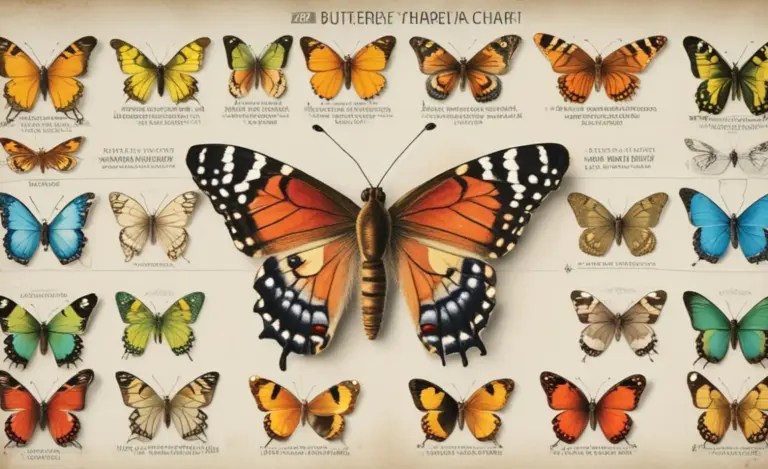
A butterfly image dataset is a large collection of butterfly photos used for training AI models. These datasets help computers learn to identify different butterfly species automatically. They are useful for conservation, research, and education, making it easier to track butterfly populations and understand their habitats.
Have you ever wondered how computers can recognize butterflies just by looking at pictures? It all starts with something called a butterfly image dataset. Think of it as a school where computers learn about butterflies. Without it, training a computer to identify a butterfly species is like trying to find a single grain of sand on a beach.
In this article, you’ll learn everything you need to know about butterfly image datasets, from what they are and where to find them to how they’re used. I’ll guide you through using these datasets, step by step. Let’s dive in and discover the amazing world of butterfly recognition!
Frequently Asked Questions (FAQs)
What is a butterfly image dataset?
A butterfly image dataset is a structured collection of images featuring butterflies. These images are often labeled with information like the species of the butterfly, its location, or other relevant details. This data is used to train machine learning models to recognize and classify different types of butterflies.
Why are butterfly image datasets important?
Butterfly image datasets are crucial for conservation efforts. They help scientists monitor butterfly populations, study their habitats, and understand the impact of climate change. Additionally, they are used in educational tools and applications that help people learn about different butterfly species.
Where can I find butterfly image datasets?
You can find butterfly image datasets on platforms like Kaggle, GitHub, and university or research institution websites. Some datasets are also available through specialized biodiversity databases. I will detail some specific datasets later in this article.
How are butterfly image datasets used in research?
Researchers use these datasets to train AI models that can automatically identify butterflies in images. This technology can be used for large-scale monitoring of butterfly populations, studying migration patterns, and assessing the health of ecosystems.
Can I create my own butterfly image dataset?
Yes, you can! Start by taking clear photos of butterflies in your garden or local area. Be sure to label each photo with the species name and location. You can also use online tools to organize and annotate your dataset.
What are some challenges in using butterfly image datasets?
One challenge is the variability in image quality and lighting conditions. Another is the difficulty in accurately identifying butterflies from photos, especially when they are partially obscured or in different life stages. Data bias, where the dataset doesn’t represent all species equally, is also a concern.
How can I contribute to butterfly conservation using image datasets?
You can contribute by creating and sharing your own datasets, participating in citizen science projects that use image recognition, and supporting organizations that use these tools for conservation efforts.
What is a Butterfly Image Dataset?

A butterfly image dataset is essentially a digital library filled with pictures of butterflies. Each image is like a page in this library, and each page tells a story about a specific butterfly. These datasets are used to train computers to recognize different kinds of butterflies, much like how you learned to identify different animals as a child by looking at picture books.
Think of it as teaching a computer to distinguish between a Monarch and a Swallowtail. The more pictures the computer sees, the better it becomes at identifying different species, even when the photos are taken from different angles, in varying lighting, or with the butterfly in different poses.
Why Are These Datasets Important?
Butterfly image datasets are vital for several reasons:
- Conservation: By training computers to recognize butterflies, we can monitor their populations and track changes in their habitats more efficiently.
- Research: Scientists can use these datasets to study butterfly behavior, migration patterns, and the impact of environmental changes.
- Education: These datasets can be used to create educational tools and apps that help people learn about different butterfly species.
Where Can You Find Butterfly Image Datasets?

Finding the right dataset is the first step. Here are some excellent resources:
- Kaggle: This platform is a goldmine for data scientists and machine learning enthusiasts. You can find various butterfly image datasets, often with detailed annotations.
- GitHub: Many researchers and developers share their datasets on GitHub. Look for repositories with well-documented data and clear usage instructions.
- University and Research Institution Websites: Often, universities and research institutions that focus on biodiversity or entomology will publish their datasets online.
- Specialized Biodiversity Databases: Websites like GBIF (Global Biodiversity Information Facility) may have links to or host image datasets related to butterflies.
How to Choose the Right Dataset

Not all datasets are created equal. Here are some factors to consider when selecting a dataset for your project:
- Size: A larger dataset generally leads to better model performance, but ensure the quality of images is consistent.
- Diversity: The dataset should include a wide variety of butterfly species and images taken under different conditions.
- Annotations: Look for datasets with accurate and detailed annotations, such as species names, locations, and other relevant information.
- License: Make sure the dataset’s license allows you to use it for your intended purpose, whether it’s for research, education, or commercial use.
Step-by-Step Guide to Using a Butterfly Image Dataset

Now, let’s walk through how to use a butterfly image dataset for a project. This guide assumes you have some basic knowledge of programming and machine learning.
Step 1: Download and Explore the Dataset
First, download the dataset from your chosen source. Once downloaded, take some time to explore the data. This usually involves:
- Inspecting the file structure: Understand how the images and annotations are organized.
- Previewing images: Look at a sample of images to get a sense of their quality and diversity.
- Analyzing annotations: Check the format and accuracy of the annotations.
For example, a typical dataset might have a folder for images and a CSV file for annotations. The CSV file might contain columns like “image_id,” “species,” “location,” and “date.”
Step 2: Prepare the Data
Data preparation is a crucial step in any machine learning project. This involves cleaning, transforming, and organizing the data into a format suitable for training your model.
- Data Cleaning:
- Remove duplicates: Ensure there are no duplicate images or annotations.
- Handle missing values: Decide how to deal with missing annotations (e.g., remove the corresponding images or impute the missing values).
- Correct errors: Verify the accuracy of the annotations and correct any mistakes.
- Data Transformation:
- Resize images: Resize all images to a consistent size to ensure uniformity.
- Normalize pixel values: Scale pixel values to a range between 0 and 1 to improve model performance.
- One-hot encode labels: Convert categorical labels (e.g., species names) into numerical format using one-hot encoding.
- Data Splitting:
- Training set: Use this set to train your model. Typically, it comprises 70-80% of your data.
- Validation set: Use this set to fine-tune your model during training. It usually consists of 10-15% of your data.
- Test set: Use this set to evaluate the final performance of your model. It typically makes up 10-15% of your data.
Step 3: Choose a Machine Learning Model
Selecting the right model depends on your specific goals and the characteristics of your dataset. Here are a few popular choices:
- Convolutional Neural Networks (CNNs): These are excellent for image classification tasks. Popular CNN architectures include ResNet, VGGNet, and Inception.
- Transfer Learning: This involves using pre-trained models (e.g., models trained on ImageNet) and fine-tuning them for your specific task. Transfer learning can significantly reduce training time and improve performance.
- Custom Models: For more complex tasks or specific requirements, you can design your own CNN architecture.
Step 4: Train the Model
Training the model involves feeding the prepared data into the chosen architecture and adjusting its parameters to minimize the error between predicted and actual labels. Here are the key steps:
- Define the Loss Function: This measures the difference between the model’s predictions and the actual labels. Common loss functions for image classification include categorical cross-entropy.
- Choose an Optimizer: This algorithm adjusts the model’s parameters to minimize the loss function. Popular optimizers include Adam and SGD.
- Set Training Parameters: Determine the batch size (the number of images processed in each iteration), the number of epochs (the number of times the entire dataset is passed through the model), and the learning rate (the step size for adjusting the model’s parameters).
- Monitor Performance: Track the model’s performance on the validation set during training. This helps you identify overfitting (when the model performs well on the training set but poorly on the validation set) and adjust the training parameters accordingly.
Step 5: Evaluate the Model
Once the model is trained, it’s essential to evaluate its performance on the test set. This provides an unbiased estimate of how well the model will perform on new, unseen data.
- Calculate Metrics: Common evaluation metrics for image classification include accuracy, precision, recall, and F1-score.
- Confusion Matrix: Visualize the model’s performance using a confusion matrix, which shows the number of correct and incorrect predictions for each class.
- Analyze Results: Identify areas where the model performs well and areas where it struggles. This can help you refine your model or collect more data to improve performance.
Step 6: Deploy the Model
After evaluating the model and ensuring it meets your performance requirements, you can deploy it for real-world use. This might involve integrating the model into a mobile app, a website, or a research tool.
- Choose a Deployment Platform: Select a platform that suits your needs, such as a cloud-based service (e.g., AWS, Google Cloud, Azure) or a local server.
- Optimize the Model: Optimize the model for deployment by reducing its size and improving its inference speed.
- Create an API: Develop an API (Application Programming Interface) that allows other applications to access the model and use it for image classification.
Tools and Technologies
To work with butterfly image datasets, you’ll need some essential tools and technologies:
- Programming Languages: Python is the most popular language for machine learning, thanks to its extensive libraries and frameworks.
- Machine Learning Libraries: TensorFlow and PyTorch are the leading deep learning frameworks. They provide tools for building, training, and deploying neural networks.
- Data Manipulation Libraries: Pandas is a powerful library for data manipulation and analysis. It provides data structures like DataFrames that make it easy to work with tabular data.
- Image Processing Libraries: OpenCV and Pillow are popular libraries for image processing. They provide tools for reading, writing, and manipulating images.
- Cloud Computing Platforms: AWS, Google Cloud, and Azure offer cloud-based services for training and deploying machine learning models. These platforms provide access to powerful computing resources and specialized tools for machine learning.
Example Datasets
Here are a couple of example datasets that you can use to get started:
1. Butterfly Identification Dataset on Kaggle
This dataset contains images of various butterfly species, along with their corresponding labels. It’s a great starting point for beginners.
| Feature | Description |
|---|---|
| Number of Images | Approximately 1,000 |
| Species | Multiple butterfly species |
| Annotations | Species names |
| Format | JPEG images, CSV file for annotations |
2. Caltech-UCSD Birds 200 (CUB-200) Dataset
While primarily focused on birds, this dataset also includes images of butterflies and can be used for broader species recognition tasks.
| Feature | Description |
|---|---|
| Number of Images | 11,788 |
| Species | 200 bird species (and some butterfly images) |
| Annotations | Bounding boxes, part locations, species names |
| Format | JPEG images, text files for annotations |
Challenges and Considerations
Working with butterfly image datasets can present some challenges:
- Image Quality: The quality of images can vary significantly, affecting the accuracy of the model.
- Occlusion: Butterflies may be partially hidden by leaves or other objects, making them difficult to identify.
- Lighting Conditions: Variations in lighting can affect the appearance of butterflies and make it harder for the model to recognize them.
- Data Bias: Datasets may be biased towards certain species or regions, leading to poor performance on underrepresented species.
To overcome these challenges, consider the following:
- Data Augmentation: Use techniques like rotation, scaling, and cropping to artificially increase the size of the dataset and improve the model’s robustness.
- Transfer Learning: Leverage pre-trained models to improve performance on limited data.
- Ensemble Methods: Combine multiple models to improve overall accuracy and reduce the impact of individual model errors.
- Careful Annotation: Ensure accurate and consistent annotations to minimize errors and improve model performance.
Real-World Applications
Butterfly image datasets have numerous real-world applications:
- Butterfly Population Monitoring: Automate the process of monitoring butterfly populations to track changes over time and assess the impact of environmental factors.
- Habitat Conservation: Identify critical habitats for butterflies and prioritize conservation efforts.
- Educational Tools: Develop educational apps and websites that help people learn about different butterfly species and their habitats.
- Citizen Science Projects: Engage citizen scientists in data collection and analysis to expand the scope of research and conservation efforts.
Ethical Considerations
When working with butterfly image datasets, it’s essential to consider ethical implications:
- Privacy: Ensure that the collection and use of images comply with privacy regulations.
- Data Security: Protect the data from unauthorized access and misuse.
- Bias Mitigation: Address potential biases in the data to ensure fair and accurate results.
- Transparency: Be transparent about the methods used to collect, process, and analyze the data.
Future Trends
The field of butterfly image recognition is constantly evolving. Here are some future trends to watch out for:
- Improved Algorithms: Advances in deep learning are leading to more accurate and efficient algorithms for image recognition.
- Larger Datasets: The availability of larger and more diverse datasets is improving the performance of machine learning models.
- Edge Computing: Deploying models on edge devices (e.g., smartphones, drones) enables real-time analysis of butterfly populations in the field.
- AI-Powered Conservation: Artificial intelligence is playing an increasingly important role in conservation efforts, helping scientists and conservationists make more informed decisions.
Conclusion
Butterfly image datasets are powerful tools for conservation, research, and education. By understanding how to use these datasets, you can contribute to the effort to protect these beautiful and important creatures. Whether you’re a student, researcher, or conservationist, there’s a place for you in the world of butterfly image recognition.
So, take what you’ve learned here and go explore the available datasets, experiment with different models, and contribute to the growing body of knowledge about butterflies. Together, we can use technology to better understand and protect these amazing creatures.